
The short answer
The best budget app for a first job shows one number: what you can spend today and still make it to payday, with bills and savings already set aside. Humph does that on iPhone. It counts from payday to payday, keeps each bill out until its due day, logs buys in a tap or a sentence, and needs no bank login or account. 7 days free, then $3.99 a month.
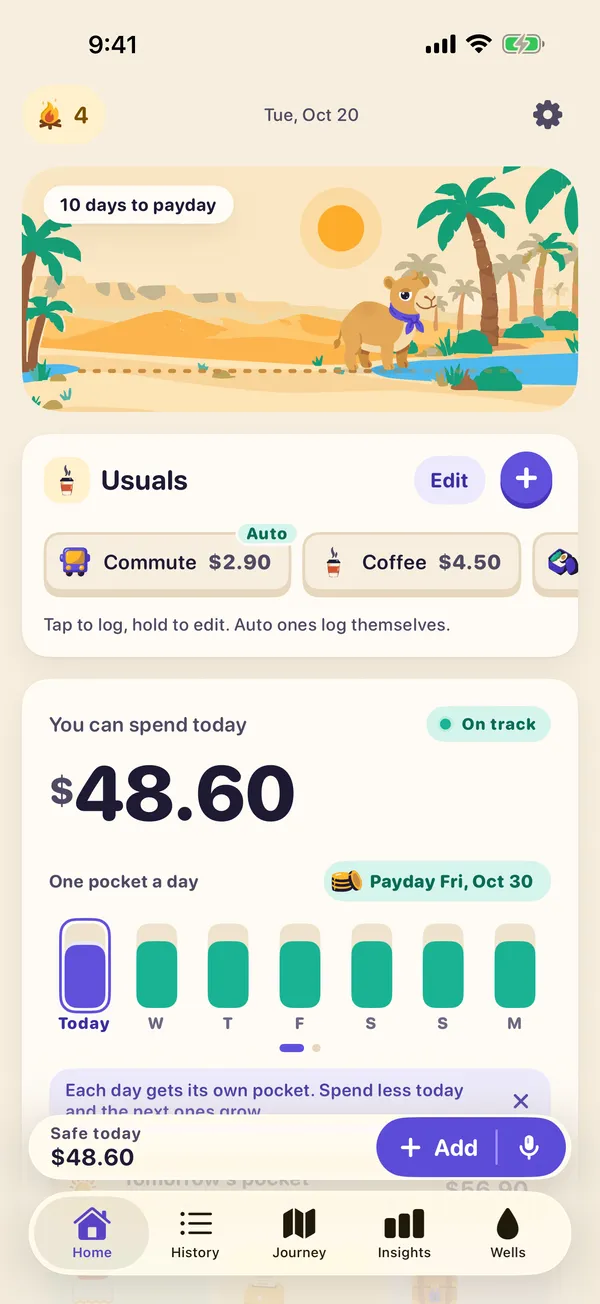
Humph shows today's safe amount the moment you open it. No bank login, no spreadsheets. For iPhone, with a 7-day free trial.


What a first-job budget app has to do
A first salary comes with a few problems most budgeting apps weren't built for:
- It runs payday to payday. Your money has to last until the next pay lands, not until the end of the month.
- Bills take a big bite first. Rent and the phone bill come out whatever you do, often right before payday.
- The leak is small and daily. Coffee, lunch, rides and snacks, not one big buy.
- You won't keep a chore going. If logging takes more than a few seconds, you stop within a week.
- You may not want to link your bank. Or your bank isn't supported at all.
How Humph handles each one
One number, every day
Humph counts from your payday to the next one. It sets your bills and your saving aside first, then splits the rest into one pocket a day. Home shows what you can spend today; spend less and tomorrow's pocket grows, spend more and the days after adjust.
Bills that wait for their due day
Add rent, the phone bill and subscriptions with their due days. Humph keeps that money out of your daily pockets until each bill is paid, and a tap marks it Paid.
Logging in a tap, or a sentence
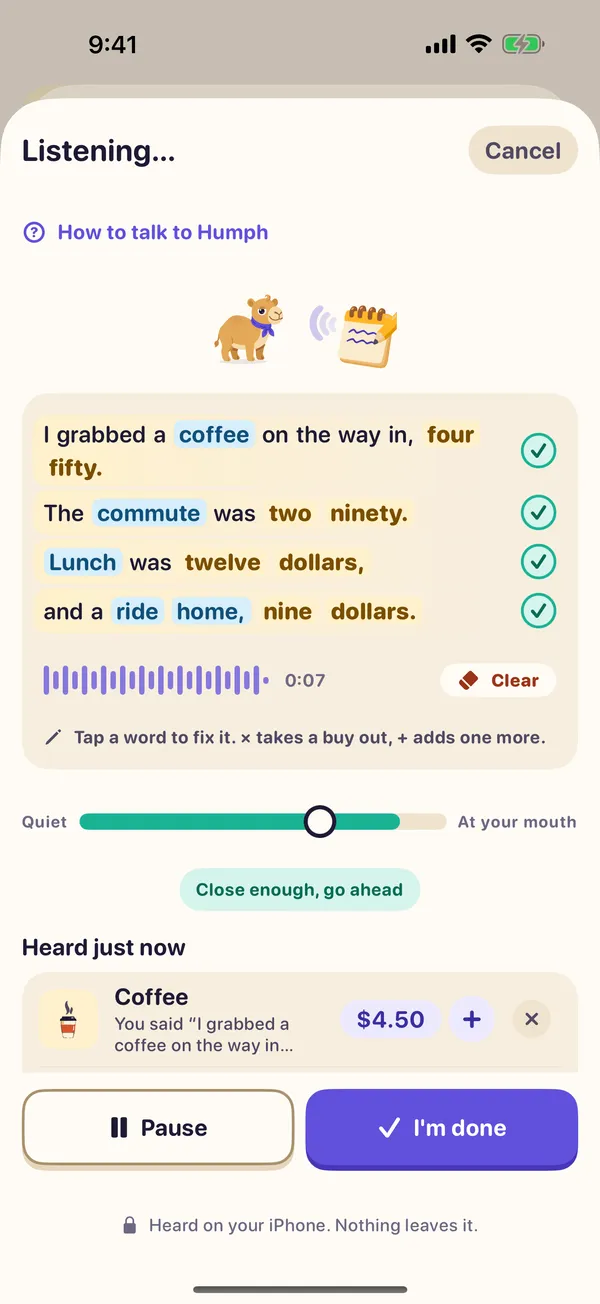
Your usuals (coffee, commute, lunch) take one tap. Regular buys log themselves on their days. Or say your day out loud, like "coffee 4.50 and lunch 12", and Humph splits it into buys, right on your iPhone. In-store Apple Pay payments can show up for you to add, through a Shortcuts automation.
A 30-second check-in
Each night Humph shows what you spent today and what tomorrow gets. Untick what didn't happen, add what's missing, keep your streak.
No bank login, no account
Nothing to link and nothing to sign up for. Your money stays on your iPhone and in your own iCloud.
When Humph isn't the right app
Humph is made for one job, so it's honest to say what it doesn't do:
- You want every bank transaction imported automatically. Humph has no bank sync. You log buys yourself, quickly.
- You use Android or want a web app. Humph is iPhone only for now.
- You budget with a partner in one shared plan. Humph is one person, one plan.
- You track investments or net worth. Humph is about everyday spending until payday.
What it costs
Humph is $3.99 a month or $29.99 a year, both with a 7-day free trial, or $59.99 once for lifetime. Every plan includes everything, with no ads. The plan you pick is the one you pay for, and if you ever stop paying, everything you saved stays viewable and exportable.
New to budgeting? Start with how to budget your first salary, or work out your number with the daily budget calculator.
Questions people ask
What is the best budget app for a first job?
The one that answers "what can I spend today?" without much setup. Look for a daily amount that counts to your next payday, bills set aside until their due day, fast logging and a price that fits a first salary.
Should a budget app connect to my bank?
It doesn't have to. Bank import saves typing but needs your login. A manual app takes a few seconds per buy and shows each one as it happens.
How much should a budget app cost?
Paid budget apps run from about $3 to $18 a month in the US. Humph is $3.99 a month or $29.99 a year after a 7-day free trial. Some apps have free versions with fewer features.
Is there a budget app for people paid every two weeks?
Yes. Humph counts from payday to payday on monthly, twice-a-month, every-two-weeks and weekly pay, and moves a payday that falls on a weekend.
General information to help you plan, not financial advice. Examples use US dollars; the same steps work in any currency.


